IMAP: Internet Message Access Protocol
- access to emails from mail server
- online management of emails directly on server.
- supports folder structure
- network protocol for online management of email
- synchronisation of local email client with mailbox on the server
- hierarchical mailboxes directly at the mail server,
- access to multiple mailboxes during a session
- preselection of emails.
Local copies also available at reconnection
POP3 : Post Office Protocol
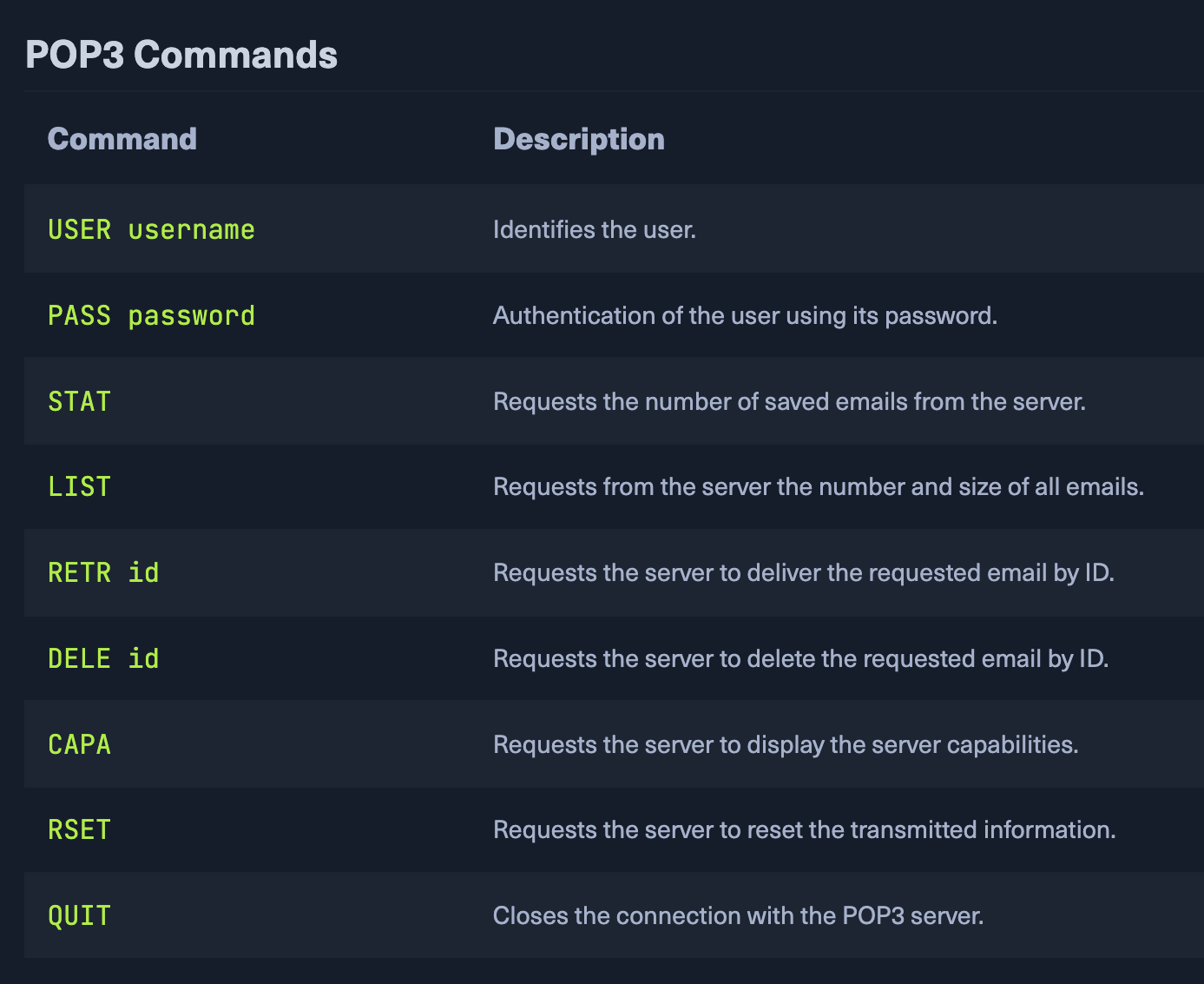
- listing, retrieving, and deleting emails as functions at the email server.
IMAP details
- Client establishes connection to server through port 143
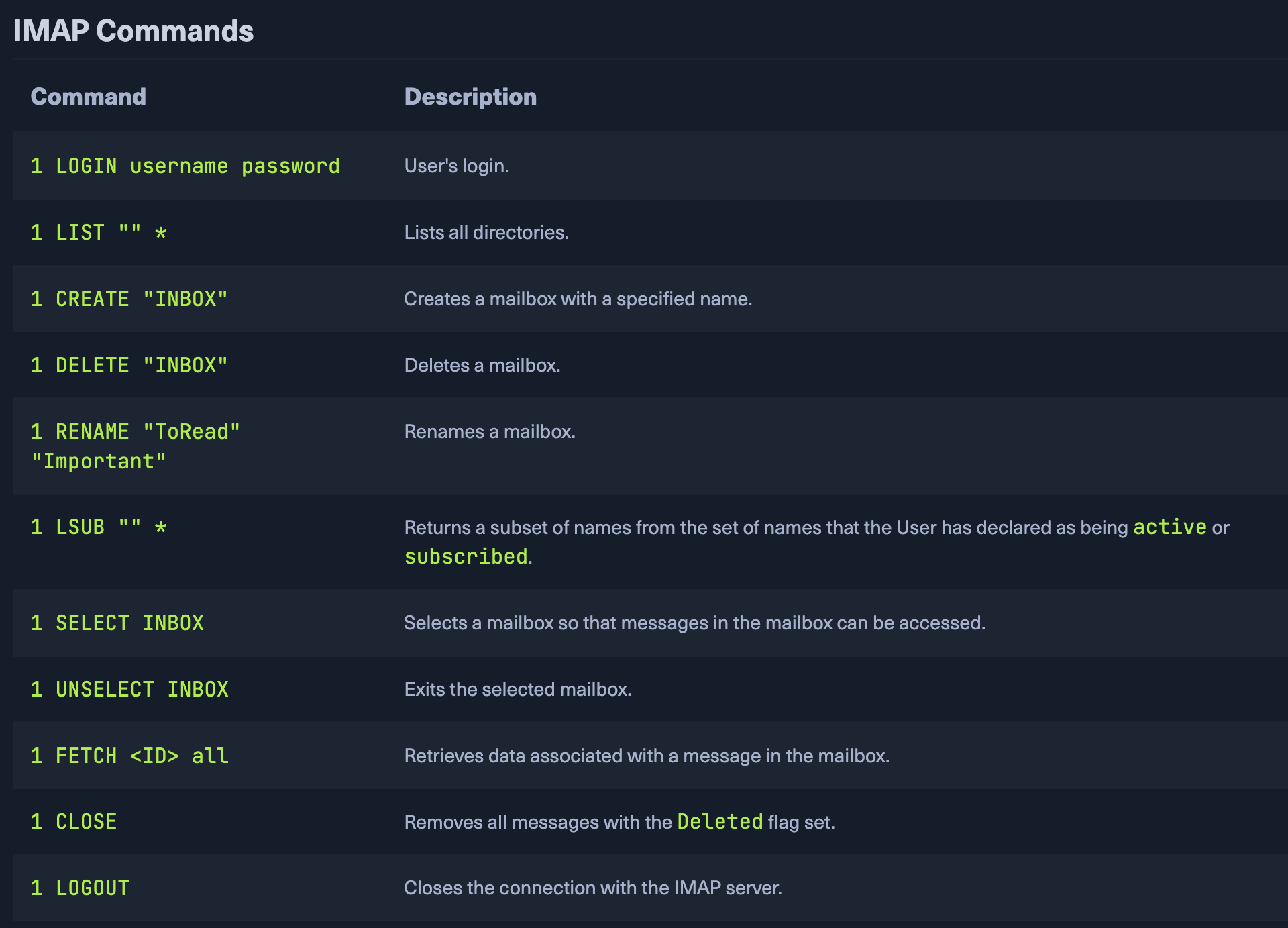
- text based commands
- access only after authentication
SMTP→send mails
then
copy mails→IMAP Folder
IMAP→unencrypted
SSL/TLS used as well → port 143 or 993
Default Configuration
IMAP → dovecot-imapd POP3 → dovecot-pop3d
Dangerous Settings
| option | description |
|---|---|
| auth-debug | enable all auth debugging |
| auth_debug_passwords | adjusts log verbosity, the submitted passwords, and the scheme gets logged. |
| auth_verbose | Logs unsuccessful authentication attempts and their reasons. |
| auth_verbose_passwords | Passwords used for authentication are logged and can also be truncated. |
| auth_anonymous_username | specifies the username to be used when logging in with the ANONYMOUS SASL mechanism. |
Footprinting
POP3 Ports: 110 and 995 IMAP Ports: 143 and 993
Higher ports used for ssl/tls
Nmap
sudo nmap 10.129.14.128 -sV -p110,143,993,995 -sCcURL
curl -k 'imaps://10.129.14.128' --user user:p4ssw0rdverbose:
curl -k 'imaps://10.129.14.128' --user cry0l1t3:1234 -vFor ssl connections, can use openssl and ncat
OpenSSL - TLS Encrypted Interaction POP3
openssl s_client -connect 10.129.14.128:pop3sOpenSSL - TLS Encrypted Interaction IMAP
openssl s_client -connect 10.129.14.128:imapsthen we can use commands to interact and navigate with server.
Practice Lab
Given : robin:robin credentials
Task1 : organization name
Task2 : FQDN or imap and pop3
Task3 : enumerate and submit flag
Task4 : customized version of pop3 server
Task5: admin email
Task6: access mails on IMAP server and submit flag as answer
ALL SOLVED BY USING DIFFERENT IMAP AND POP3 commands after connection