AD stores user account information and security information such as passwords and facilitates sharing this information with other devices on the network. LDAP is the language that applications use to communicate with other servers that provide directory services.
LDAP is how systems in the network environment can “speak” to AD.
An LDAP session begins by first connecting to an LDAP server, also known as a Directory System Agent. The Domain Controller in AD actively listens for LDAP requests, such as security authentication requests.
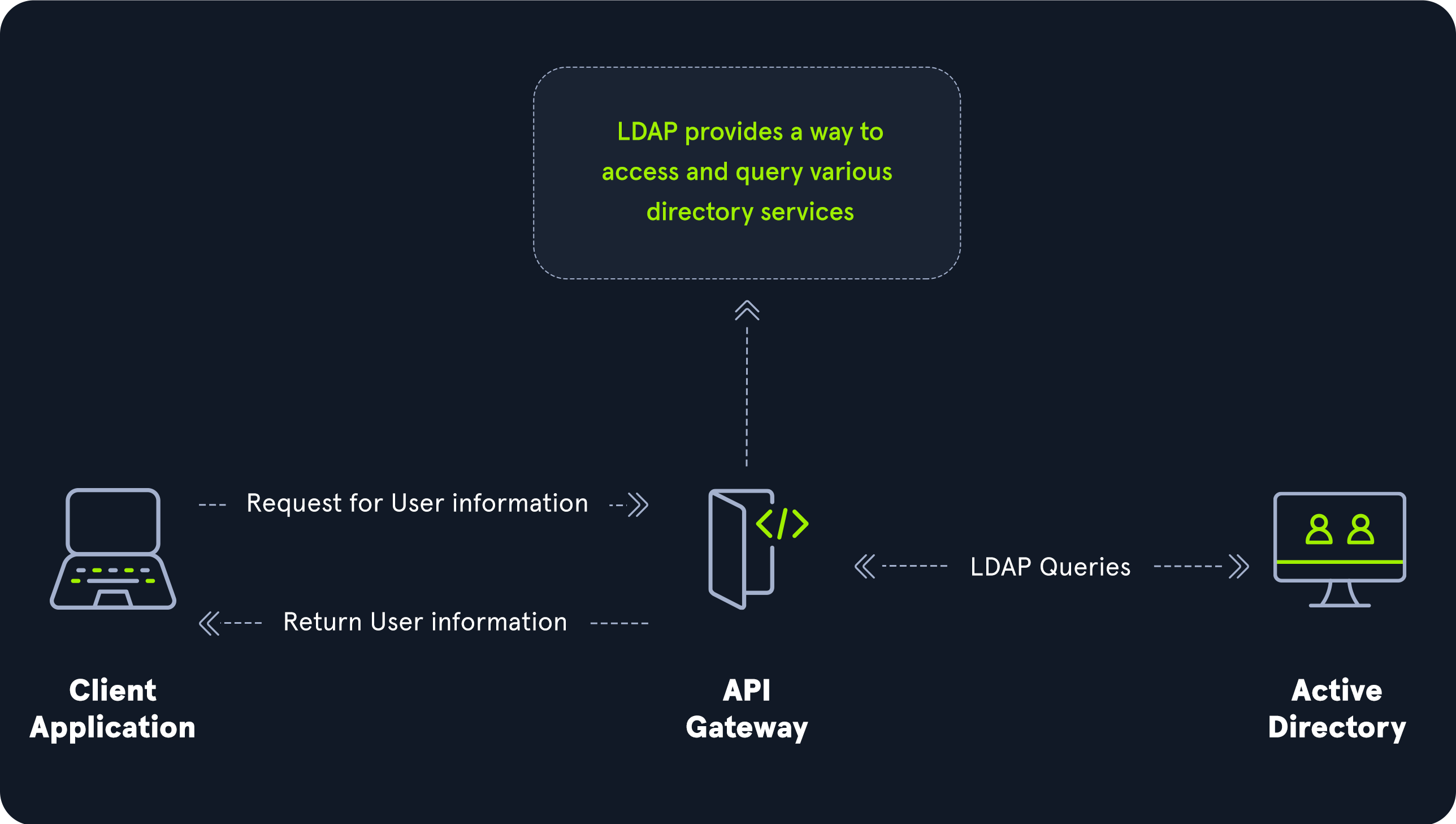
The relationship between AD and LDAP can be compared to Apache and HTTP. The same way Apache is a web server that uses the HTTP protocol, Active Directory is a directory server that uses the LDAP protocol.
While uncommon, you may come across organization while performing an assessment that do not have AD but are using LDAP, meaning that they most likely use another type of LDAP server such as OpenLDAP.
AD LDAP Authentication
LDAP is set up to authenticate credentials against AD using a “BIND” operation to set the authentication state for an LDAP session. There are two types of LDAP authentication.
-
Simple Authentication: This includes anonymous authentication, unauthenticated authentication, and username/password authentication. Simple authentication means that ausernameandpasswordcreate a BIND request to authenticate to the LDAP server. -
SASL Authentication: The Simple Authentication and Security Layer (SASL) framework uses other authentication services, such as Kerberos, to bind to the LDAP server and then uses this authentication service (Kerberos in this example) to authenticate to LDAP. The LDAP server uses the LDAP protocol to send an LDAP message to the authorization service, which initiates a series of challenge/response messages resulting in either successful or unsuccessful authentication. SASL can provide additional security due to the separation of authentication methods from application protocols.